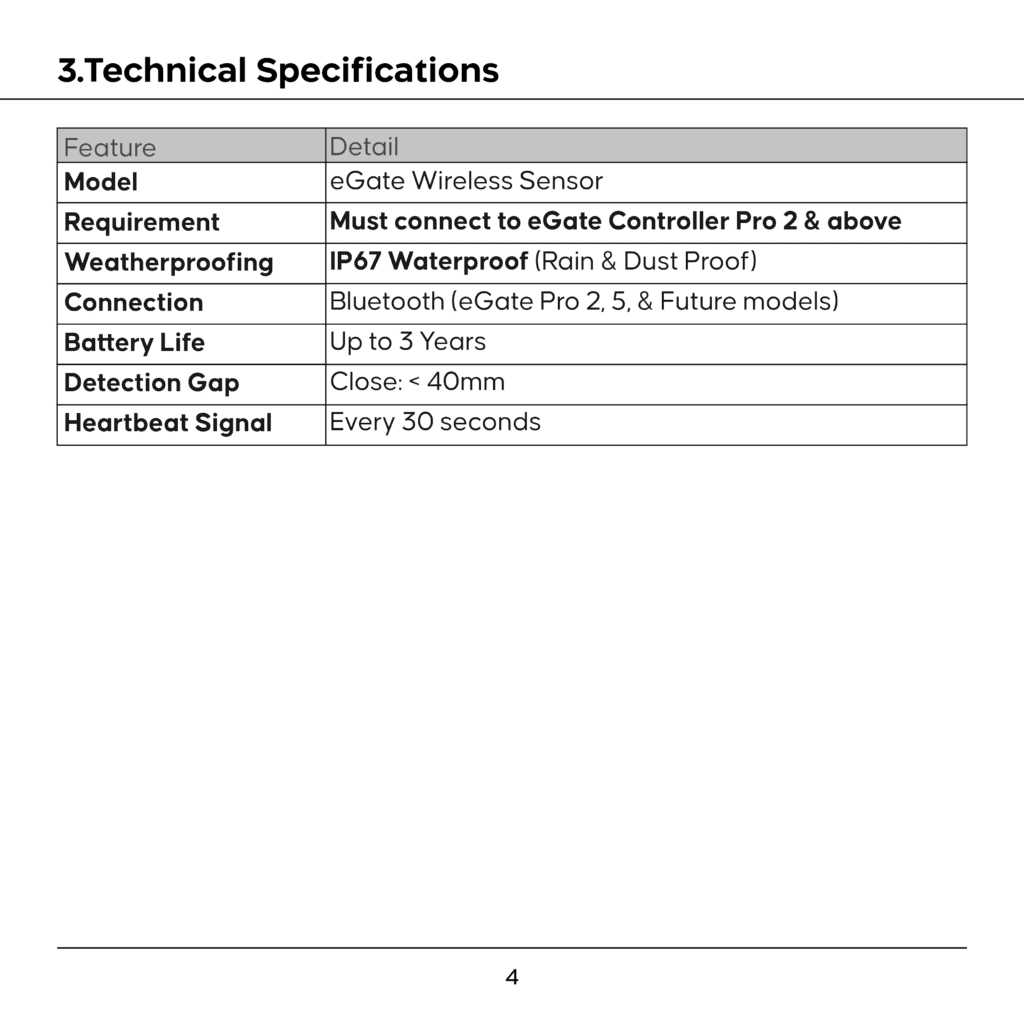

The eGate Wireless Outdoor Sensor detects whether your gate is open or closed and reports the status to the ECP5 in real time. It mounts on or near your gate and communicates wirelessly — no wiring to the ECP5 is needed.
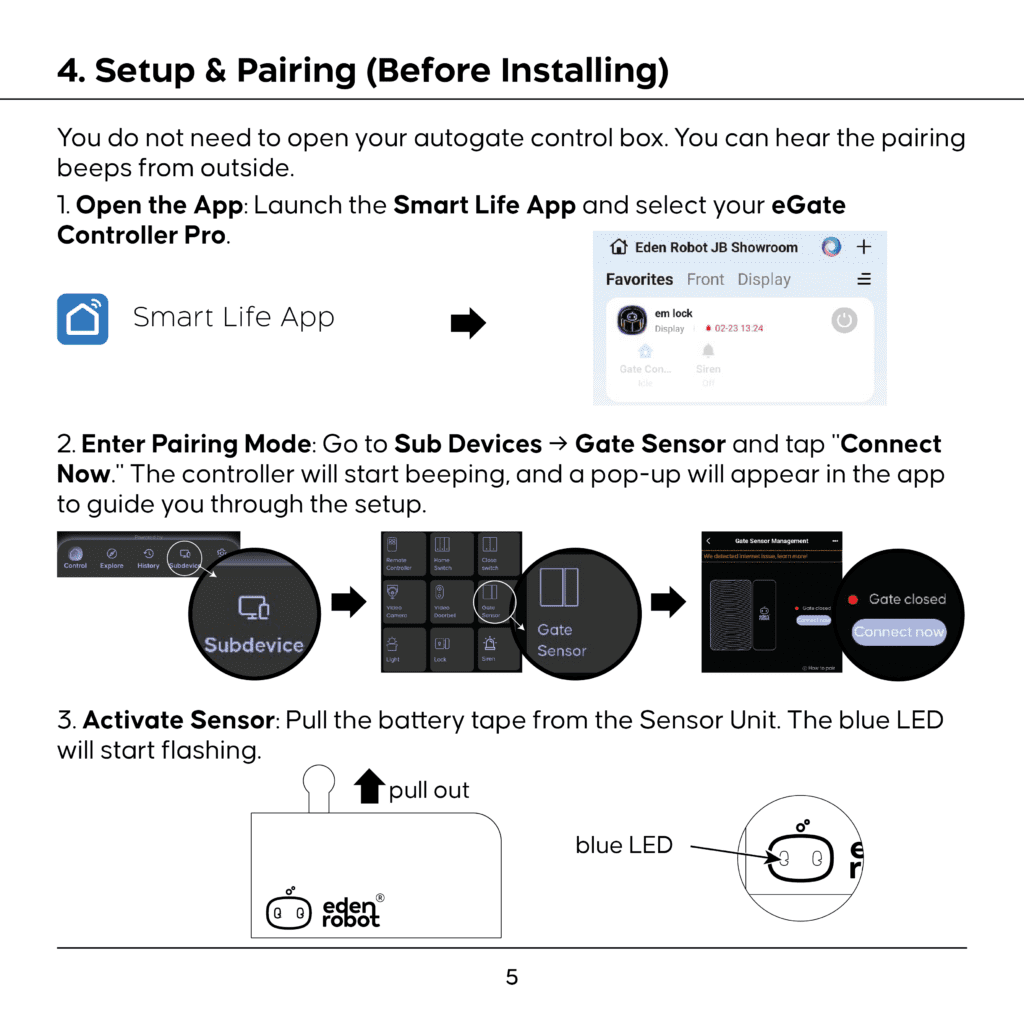
To Pair:
1. Go to Subdevice tab → Select “Gate Sensor” card → Press “Add Device”.
2. ECP5 enters pairing mode (Continuous buzzing).
3. Follow the on-screen instructions to activate the sensor.
4. App confirms pairing. The sensor appears in the Gate Sensor list.
5. Change Gate Sensor Selection to “Hybrid” to enable eGate Wireless Outdoor Sensor.
Features Unlocked After Pairing:
- Real-time gate status — the Control Screen (Section 8.2.1) shows “Gate Open” or “Gate Closed” instead of “Unconnected”
- Close Reminder — receive a notification if the gate is left open too long (Adjustable: 10-60 minutes in Gate Sensor -> Reminder Period)
- Arm Mode — triggers the SOS siren + push notification to all users when the gate opens while armed (See Section 9.4)
- Close Switch enabled — the Wireless Close Switch (Section 9.3) requires a gate sensor or Eden Robot Brand Mode to function
GATE SENSOR NOTE
Without a gate sensor, the gate status area shows “Unconnected” or “Gate Closed” and will not update (See Section 8.2.1).
The sensor is sold separately. For full installation and mounting instructions, refer to the eGate Wireless Outdoor Sensor Manual.